
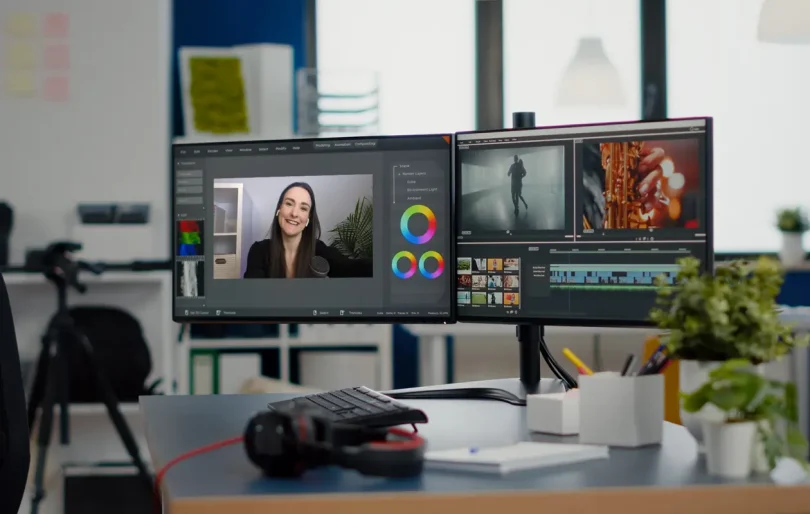

Video has become one of the most powerful ways to share information, tell stories, and communicate ideas. From educational content and personal projects to professional presentations, video editing plays a key role in shaping how messages are delivered. This video editing software guide explains what video editing software is, how it works, and what features matter most, using simple language that is easy to understand for beginners and non-technical readers.
Video editing software allows users to turn raw footage into polished videos by cutting clips, adding effects, adjusting audio, and organizing content into a clear sequence. As video content continues to grow in importance, learning how editing tools function is becoming a valuable skill. This article serves as a video editing software guide to help readers understand the basics, common features, workflows, and considerations involved in video editing, without focusing on any specific product or service.
What Is Video Editing Software?
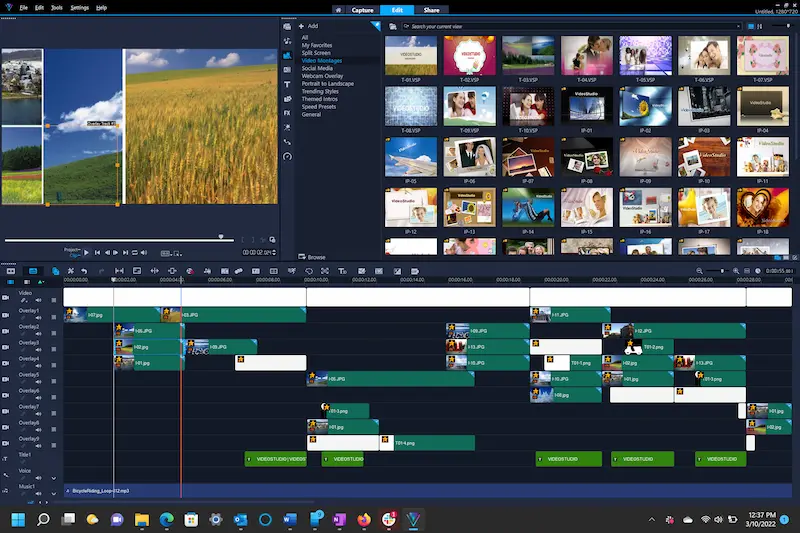
Video editing software is a type of computer application that helps users modify and arrange video files. It enables creators to remove unwanted parts, improve visual quality, add sound, and combine multiple clips into a single finished video.
Core Purpose of Video Editing
The main purpose of video editing software is to improve clarity, structure, and impact. Editing helps ensure that videos are engaging, easy to follow, and visually consistent.
Who Uses Video Editing Software?
Video editing software is used by a wide range of people, including:
- Students working on presentations
- Educators creating learning materials
- Content creators sharing stories
- Businesses producing internal or informational videos
Because of this wide usage, editing tools are designed to support different skill levels and project types.
Types of Video Editing Software
Video editing software can be grouped based on complexity and functionality.
Basic Video Editing Tools
Basic tools focus on simple editing tasks such as:
- Trimming and cutting clips
- Arranging video sequences
- Adding basic transitions
These tools are suitable for beginners who want to learn fundamental editing skills.
Intermediate Editing Tools
Intermediate-level software includes more advanced features like:
- Multiple video and audio tracks
- Color correction controls
- Audio balancing
These tools allow greater creative control without requiring expert-level knowledge.
Advanced Video Editing Tools
Advanced editing software is designed for complex projects and offers:
- Detailed timeline control
- Advanced visual effects
- High-resolution export options
Such tools are often used for professional or long-form video projects.
You may also like it:
Smart Home Device Guide: Choose the Best Devices for Home
AI for Business Automation: Boost Efficiency 2026
Best Antivirus Software 2026 – Top Security Tools
Key Features of Video Editing Software
Most video editing tools include a set of essential features that support the editing process.
Timeline-Based Editing
The timeline is the main workspace where clips are arranged. It allows users to:
- Control timing and sequence
- Sync audio and video
- Apply transitions accurately
Video Transitions and Effects
Transitions help smooth the change between clips, while effects can enhance visual appeal. Common examples include fades, motion effects, and visual filters.
Audio Editing Tools
Audio is a crucial part of video quality. Editing software often includes:
- Volume control
- Background noise reduction
- Audio synchronization
Clear audio improves viewer understanding and engagement.
Understanding the Editing Workflow
Video editing follows a structured process that helps ensure quality and efficiency.
Importing and Organizing Media
The first step is importing video, audio, and image files. Organizing files into folders or bins helps keep projects manageable.
Editing and Refining
This stage involves trimming clips, adjusting timing, and improving visual and audio quality. It is the core of the creative process.
Review and Final Output
After editing, videos are reviewed for errors and clarity. The final step is exporting the video in the required format and resolution.
This workflow is explained in detail in any well-structured video editing software guide because it applies across most editing tools.
Video Formats and Resolution
Understanding video formats and resolution is important for successful editing.
Common Video Formats
Video files come in different formats, each with its own balance of quality and file size. Editing software typically supports multiple formats to ensure flexibility.
Resolution and Aspect Ratio
Resolution affects image clarity, while aspect ratio determines screen shape. Choosing the correct settings ensures videos display properly on different devices.
System Requirements and Performance
Video editing can be demanding on computer systems.
Hardware Considerations
Editing software may require:
- Adequate memory
- A capable processor
- Sufficient storage space
Better hardware helps reduce lag and speeds up rendering.
Software Performance
Smooth performance improves productivity and reduces frustration. Efficient software allows real-time previews and faster exports.
Video Editing for Different Purposes
Different editing goals require different approaches.
Educational and Informational Videos
These videos focus on clarity, readable text, and clean audio. Editing emphasizes structure and pacing.
Creative and Story-Based Videos
Storytelling videos rely on timing, transitions, and emotional flow. Editing choices help guide viewer attention.
Professional Presentations
Professional videos often require consistent branding, clear visuals, and polished audio.
Understanding these goals helps users understand how to apply concepts from a video editing software guide effectively.
Common Challenges in Video Editing
Beginners often face challenges when learning video editing.
Managing Large Files
Video files can be large, making storage and organization important.
Learning Editing Techniques
Understanding timing, transitions, and audio balance takes practice.
Export Settings
Choosing the wrong export settings can affect video quality or compatibility.
Awareness of these challenges helps users learn more efficiently.
Tips for Learning Video Editing
Learning video editing does not require advanced technical knowledge at the start.
Start Simple
Begin with basic edits and short videos to build confidence.
Practice Regularly
Regular practice helps improve speed and creativity.
Focus on Storytelling
Good editing supports the message, not just visual effects.
These principles are often emphasized in educational video editing resources.
The Future of Video Editing Software
Video editing tools continue to evolve.
Automation and Smart Features
Automation helps speed up repetitive tasks and simplify editing decisions.
Improved Accessibility
Modern tools aim to be more user-friendly for beginners.
Cross-Device Editing
Editing across multiple devices is becoming more common, allowing greater flexibility.
These developments continue to shape how people create video content.
Conclusion
Video editing is an essential skill in today’s digital world, supporting communication, education, and creative expression. Understanding how editing software works helps users make better decisions and improve their projects. This video editing software guide has explained key concepts, features, workflows, and challenges in a clear and user-friendly way. By learning the basics and practicing regularly, anyone can develop strong video editing skills and create effective, high-quality videos.
Frequently Asked Questions (FAQs)
1. Is video editing difficult for beginners?
Video editing can feel challenging at first, but starting with simple tools and basic techniques makes the learning process easier.
2. What skills are important for video editing?
Important skills include basic computer knowledge, attention to detail, creativity, and an understanding of timing and audio balance.
3. Do I need a powerful computer for video editing?
More powerful systems improve performance, but basic editing can still be done on standard devices with proper file management.
4. How does a video editing software guide help new users?
A video editing software guide helps new users understand features, workflows, and common challenges, making it easier to learn and apply editing techniques confidently.


